

 IN
IN

Best Managed Network Switches in Canada for Businesses: A Complete Buying Guide
Canadian businesses rely on fast, secure, and reliable network connectivity to support daily operations. From small offices and retail stores to large enterprises, Internet Service Providers (ISPs), and CCTV installations, choosing the right networking equipment is essential for maintaining efficient communication and business productivity.
Managed network switches in Canada are an excellent option for businesses that need greater control over their network infrastructure. Features such as VLANs, Quality of Service (QoS), network monitoring, and Power over Ethernet (PoE) help organizations manage connected devices and improve network performance.
Whether you're upgrading an existing office network or building new IT infrastructure, choosing the right managed switch starts with understanding your network requirements, connectivity needs, and future growth plans.
In this guide, we'll explore key features, benefits, and popular managed network switch options to help you make an informed purchasing decision.
What Is a Managed Network Switch?
A managed network switch connects multiple devices within a local area network (LAN) while allowing administrators to configure, monitor, and manage network traffic.
Unlike unmanaged switches, managed Ethernet switches offer advanced configuration options that help businesses organize networks, prioritize important traffic, and control access to connected devices.
Common features of managed network switches include:
- VLAN support: Separates departments, guest Wi-Fi, IP cameras, and other devices into logical network segments.
- Quality of Service (QoS): Helps prioritize important traffic, including voice and video communications.
- Network monitoring: Provides visibility into network connections, port activity, and performance.
- Security management: Supports access control and other security features, depending on the model.
- Link aggregation: Combines compatible network links to increase available bandwidth and provide redundancy.
- Power over Ethernet (PoE): Supplies power and data to compatible devices through a single Ethernet cable.
These features make managed switches suitable for organizations that require reliable connectivity, flexible network configuration, and greater control over their IT infrastructure.
Best Managed Network Switches for Canadian Businesses
The best business network switch depends on the size of your organization, the number of connected devices, network speed requirements, and whether PoE or advanced management features are needed.
1. Grandstream GWN7801P Managed PoE Switch
The Grandstream GWN7801P is a Layer 2+ managed PoE switch designed for small and medium-sized business networks. It can support compatible wireless access points, IP phones, and other Ethernet-connected devices.
Key features include:
- 8 Gigabit Ethernet ports
- 2 Gigabit SFP uplink ports
- PoE+ support
- Up to 120W total PoE power budget
- VLAN and QoS capabilities
- Network monitoring and security features
This model can be a practical option for small offices, retail businesses, and professional network installations that require manageable connectivity and PoE support.
Explore the Grandstream product range to review product information and identify the appropriate GWN7801P listing.
2. Grandstream GWN7811 Managed Network Switch
Businesses that need advanced network management may consider the Grandstream GWN7811. Its Layer 3 capabilities and high-speed uplinks make it suitable for certain business networks requiring more than basic Layer 2 switching.
Key features include:
- 8 Gigabit Ethernet ports
- 2 10 Gigabit SFP+ uplink ports
- Layer 3 management capabilities
- VLAN and QoS support
- Network security features
- Supported centralized management options
The 10 Gigabit SFP+ uplinks can help connect compatible, high-capacity network infrastructure, making this model worth considering for growing business networks.
Review the Grandstream networking range and verify the exact model specifications before purchasing.
3. TP-Link Omada SG3428XMP Managed PoE Switch
The TP-Link Omada SG3428XMP is designed for business environments requiring multiple Gigabit Ethernet connections, PoE+ support, and high-speed uplinks.
Key features include:
- 24 Gigabit PoE+ Ethernet ports
- 4 10 Gigabit SFP+ uplink slots
- Up to 384W total PoE power budget
- VLAN, ACL, and QoS support
- Centralized Omada network management
- Static routing support
This managed PoE switch can support office networks with wireless access points, VoIP phones, IP cameras, and other compatible devices.
For Canadian businesses planning to expand their network infrastructure, the combination of PoE+ connectivity and 10 Gigabit uplinks can provide useful flexibility.
Explore the TP-Link Omada managed switch range for product details and compatible networking solutions.
4. TP-Link Omada SG3452P Managed Switch
Organizations with a larger number of wired devices may require a 48-port managed network switch. The TP-Link Omada SG3452P is designed for business networks that need extensive Gigabit connectivity and PoE+ functionality.
Key features include:
- 48 Gigabit PoE+ Ethernet ports
- 4 Gigabit SFP uplink slots
- Up to 384W total PoE power budget
- VLAN, ACL, and QoS support
- Static routing capabilities
- Centralized Omada management options
This model may suit larger offices, educational facilities, hospitality businesses, and surveillance installations that need to connect numerous compatible devices.
Before choosing a 48-port PoE switch, calculate the total power consumption of connected devices and allow room for future network expansion.
Visit the TP-Link Omada switch range to confirm the specifications of the model available in Canada.
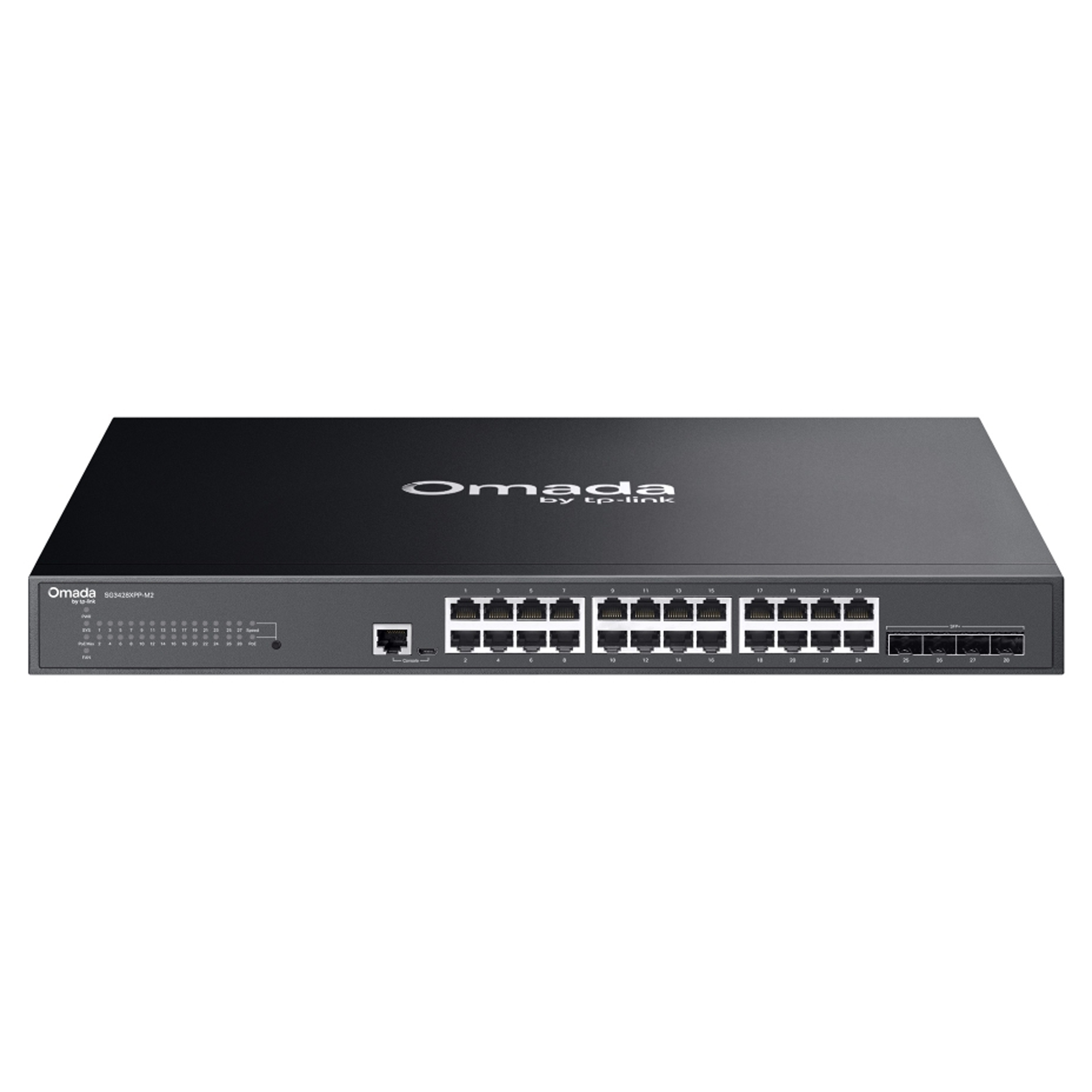
5. TP-Link Omada SG3428XPP-M2 Multi-Gigabit Switch
Businesses deploying modern wireless access points, high-bandwidth applications, and advanced network equipment may benefit from multi-gigabit Ethernet connectivity.
The TP-Link Omada SG3428XPP-M2 offers higher-speed access ports and high-speed uplinks for compatible business networking environments.
Key features include:
- 24 2.5 Gigabit Ethernet ports
- 16 PoE+ ports and 8 PoE++ ports
- 4 10 Gigabit SFP+ slots
- Up to 500W total PoE power budget
- VLAN, ACL, and QoS support
- Centralized Omada management options
This model can be considered for growing enterprises, high-performance wireless deployments, and installations requiring higher PoE power capacity.
Businesses should verify device compatibility, required network speeds, port-level PoE capabilities, and total power requirements before purchasing.
Explore the TP-Link Omada product range for additional information.
Managed Network Switch Comparison
Comparing port count, uplink speed, PoE capacity, and intended applications makes it easier to shortlist the right managed Ethernet switch.
| Switch Model | Main Connectivity | Best Suited For |
|---|---|---|
| Grandstream GWN7801P | 8 Gigabit ports, 2 Gigabit SFP uplinks | Small offices and PoE deployments |
| Grandstream GWN7811 | 8 Gigabit ports, 2 10G SFP+ uplinks | Networks requiring Layer 3 features |
| TP-Link SG3428XMP | 24 Gigabit PoE+ ports, 4 10G SFP+ uplinks | Business and office networks |
| TP-Link SG3452P | 48 Gigabit PoE+ ports, 4 Gigabit SFP uplinks | Larger wired networks |
| TP-Link SG3428XPP-M2 | 24 2.5G ports, 4 10G SFP+ uplinks | Multi-gigabit network deployments |
The ideal choice depends on the devices you need to connect, the network speeds you require, and the management features your organization needs. Check each product listing for current specifications and Canadian availability.
Important: Specifications, hardware revisions, PoE budgets, management capabilities, and availability can vary by model and region. Verify the manufacturer's documentation and the exact product listing before purchasing.
How to Choose the Best Managed Network Switch in Canada
Before purchasing a managed network switch for your Canadian business, consider the following factors.
Port Count and Network Expansion
Determine how many devices require wired connectivity, including computers, printers, servers, wireless access points, VoIP phones, and security cameras.
An 8-port managed switch may be sufficient for a small office, while a 24-port or 48-port switch may be more appropriate for a larger organization.
Allow additional capacity for future devices to reduce the need for an early hardware upgrade.
Gigabit, Multi-Gigabit, and Uplink Speeds
Gigabit Ethernet supports speeds up to 1 Gbps per port and is suitable for many standard business applications.
Multi-gigabit switches can provide 2.5 Gbps or higher speeds on compatible ports, which may benefit modern wireless access points and bandwidth-intensive applications.
Also evaluate uplink connections. SFP and SFP+ interfaces support compatible transceivers and network connections, depending on the model.
Power over Ethernet Requirements
Managed PoE switches simplify installations by delivering data and power over a single Ethernet cable to compatible equipment.
They can be useful for IP cameras, wireless access points, and VoIP phones. Check the PoE standard, per-port power limit, and total power budget before selecting a model.
A switch with insufficient PoE capacity may not be able to power all connected devices simultaneously.
VLAN Support and Network Security
VLANs allow businesses to separate different types of network traffic, such as employee systems, guest Wi-Fi, voice communications, and surveillance equipment.
Depending on the model, managed switches may also support access control lists, port security, authentication, and other security features.
These capabilities help network administrators implement appropriate network policies and organize business connectivity.
Network Management and Monitoring
Consider how your IT team will configure and monitor the switch. Some businesses prefer a local web interface, while organizations with multiple locations may benefit from centralized management platforms.
Review supported management methods, compatibility with existing equipment, licensing requirements, and any ongoing costs before making a decision.
Budget, Warranty, and Availability in Canada
When comparing business network switches in Canada, look beyond the initial purchase price.
Evaluate network performance, PoE requirements, warranty coverage, product availability, power compatibility, and expected expansion needs.
Selecting equipment that meets your current requirements while supporting future growth can help your business make a better long-term networking investment.
Managed vs. Unmanaged Network Switches
A managed switch offers more configuration and monitoring capabilities than an unmanaged switch. The right choice depends on your network's complexity and administration requirements.
| Feature | Managed Switch | Unmanaged Switch |
|---|---|---|
| Configuration | Advanced configuration options | Usually plug-and-play |
| VLAN support | Available on supported models | Generally unavailable |
| Network monitoring | More detailed visibility | Limited visibility |
| Traffic prioritization | QoS on supported models | Usually limited |
| Security controls | Advanced options on supported models | Basic functionality |
| Typical applications | Business and enterprise networks | Simple network installations |
For organizations that need network segmentation, monitoring, and greater control over connected devices, managed network switches are often the more flexible solution.
Unmanaged switches can still be appropriate for simple installations where advanced configuration is unnecessary.
Which Industries Benefit from Managed Network Switches?
Small and Medium-Sized Businesses
Offices and retail businesses can use managed switches to connect computers, printers, VoIP phones, and wireless access points while organizing network traffic.
ISPs and WISPs
Internet service providers and wireless ISPs can benefit from suitable switching equipment that supports VLANs, monitoring, and scalable network connectivity.
CCTV and Security Installations
Managed PoE switches can connect compatible IP cameras and network video equipment. VLANs and access controls can help separate surveillance traffic from other business systems.
Hospitality and Education
Hotels, schools, and other facilities may need reliable connectivity for staff, visitors, classrooms, wireless access points, and communication systems.
Enterprise IT Networks
Larger organizations can use managed switches to support network segmentation, monitoring, and higher-capacity connections between devices and network infrastructure.
Why Choose JRS GL Canada for Business Networking Equipment?
Choosing the right networking equipment requires careful consideration of technical specifications, network requirements, and product availability.
JRS GL Canada offers networking products from brands such as TP-Link and Grandstream for different business connectivity requirements.
Whether you need a compact managed Ethernet switch for an office or a higher-capacity PoE switch for a larger deployment, compare available models to identify the right combination of port count, network speed, power capacity, and management features.
Browse the TP-Link switch collection to explore available networking solutions for your business. If the collection URL differs on your live store, replace it with the current published collection URL.
Conclusion
The best managed network switches in Canada are those that match your business's connectivity, security, performance, and expansion requirements.
Small offices may benefit from compact managed switches, while larger organizations may need 24-port or 48-port solutions. Businesses deploying modern wireless access points or power-hungry network devices should also evaluate multi-gigabit connectivity and PoE capacity.
By comparing available models and selecting features that match your requirements, you can build a more manageable and scalable network infrastructure.
Explore the networking solutions available at JRS GL Canada to find a managed network switch suited to your business.
