

 IN
IN

If you're setting up a new internet connection, you've probably come across two pieces of networking equipment: a modem and a router. Understanding modem vs router is important because, although they often work together, they perform completely different jobs.
The modem connects your network to your internet service provider (ISP), while the router manages the connection inside your home or business and distributes it to your devices.
Knowing how these devices work can make it easier to choose networking equipment, troubleshoot internet problems, and decide whether you actually need to upgrade your current setup.

What Is a Modem?
A modem is the device that connects your network to your internet service provider.
Your ISP sends an internet signal to your home or office through its network infrastructure. The modem receives that connection and communicates with the provider's network so your local network can access the internet.
Depending on the type of internet service you have, the equipment may be a cable modem, DSL modem, or another type of network termination device. Fiber connections, for example, commonly use an ONT rather than a traditional modem.
What Does a Modem Do?
A modem's main job is to establish and maintain the connection with your ISP.
- Connects to the ISP's network
- Receives the incoming internet service
- Converts signals into a usable network connection
- Passes that connection to a router or compatible networking device
If your modem can't establish a connection with your ISP, changing your Wi-Fi settings won't usually solve the problem.

What Is a Router?
A router is a networking device that manages communication between devices within a home, office, or business network. Once an internet connection reaches the router, it directs data traffic between local devices and the internet, allowing them to communicate and access online services efficiently.
It can connect computers, smartphones, smart TVs, gaming consoles, printers, cameras, and other network-enabled devices.
A typical network looks like:
Unlike a basic modem, a router can provide Wi-Fi and manage multiple devices simultaneously.
Modern routers may also include features such as:
If you're comparing networking options, you can browse TP-Link routers for different home, office, and business networking requirements.
Modem vs Router: What Is the Difference?
The easiest way to understand modem vs router is to look at what each device is responsible for.
| Feature | Modem | Router |
|---|---|---|
| Connects to ISP | Yes | Usually indirectly |
| Creates local network | Usually no | Yes |
| Provides Wi-Fi | Usually no | Yes |
| Connects multiple devices | Limited | Yes |
| Manages local traffic | No | Yes |
| Main purpose | Connects to internet service | Distributes and manages the connection |
Think of the modem as the gateway between your network and your ISP, while the router acts as the traffic manager for your local network.
That's why replacing one doesn't necessarily solve a problem with the other.
Do You Need Both a Modem and a Router?
In many traditional cable and DSL setups, you'll need both.
The modem connects your network to the internet, while the router distributes that connection to your devices, allowing them to access the internet and communicate with each other.
For example, imagine a home with:
- Two laptops
- Several smartphones
- A smart TV
- A gaming console
- Security cameras
- Smart-home devices
The modem links your home network to your internet service provider (ISP), while the router distributes the connection to your devices and enables communication across the local network.
Some internet providers offer a single device that combines both modem and router functions, providing internet access and network management in one unit.
What Is a Modem-Router Combo?
A modem-router combo, often called a gateway, combines modem and router functionality in one piece of hardware.
Instead of having:
Modem + Router
you have:
One combined device
This can make installation easier and reduce the amount of equipment around your networking area.
However, separate devices offer more flexibility. For example, you can upgrade your router when you need better network performance without necessarily replacing the modem.
Modem vs Router: Which One Provides Wi-Fi?
In a traditional setup, the router provides Wi-Fi.
The modem's role is to establish the internet connection. The router takes that connection and makes it available to your devices over Wi-Fi and Ethernet.
This distinction is especially useful when troubleshooting.
If your modem is connected to the internet but your Wi-Fi signal is weak, the router may be the part of the network that needs attention.
Distance, walls, interference, router placement, and the number of connected devices can all affect wireless performance.
Can a Better Router Increase Internet Speed?
A router cannot increase the internet speed provided by your ISP beyond the limits of your service and network equipment.
However, an outdated router can prevent your devices from taking full advantage of a fast internet connection.
A newer router may offer:
- Newer Wi-Fi standards
- Better wireless efficiency
- Improved coverage
- Faster Ethernet connectivity
- Better support for multiple devices
- More advanced network management
So, if you've upgraded your internet plan but your devices still aren't performing as expected, the router is worth checking.
When Should You Consider a Dedicated Router?
A dedicated router can be particularly useful when you need more control over your network.
For example, Business networks may require multiple WAN connections, VPN capabilities, traffic management, stronger security controls, or centralized management.
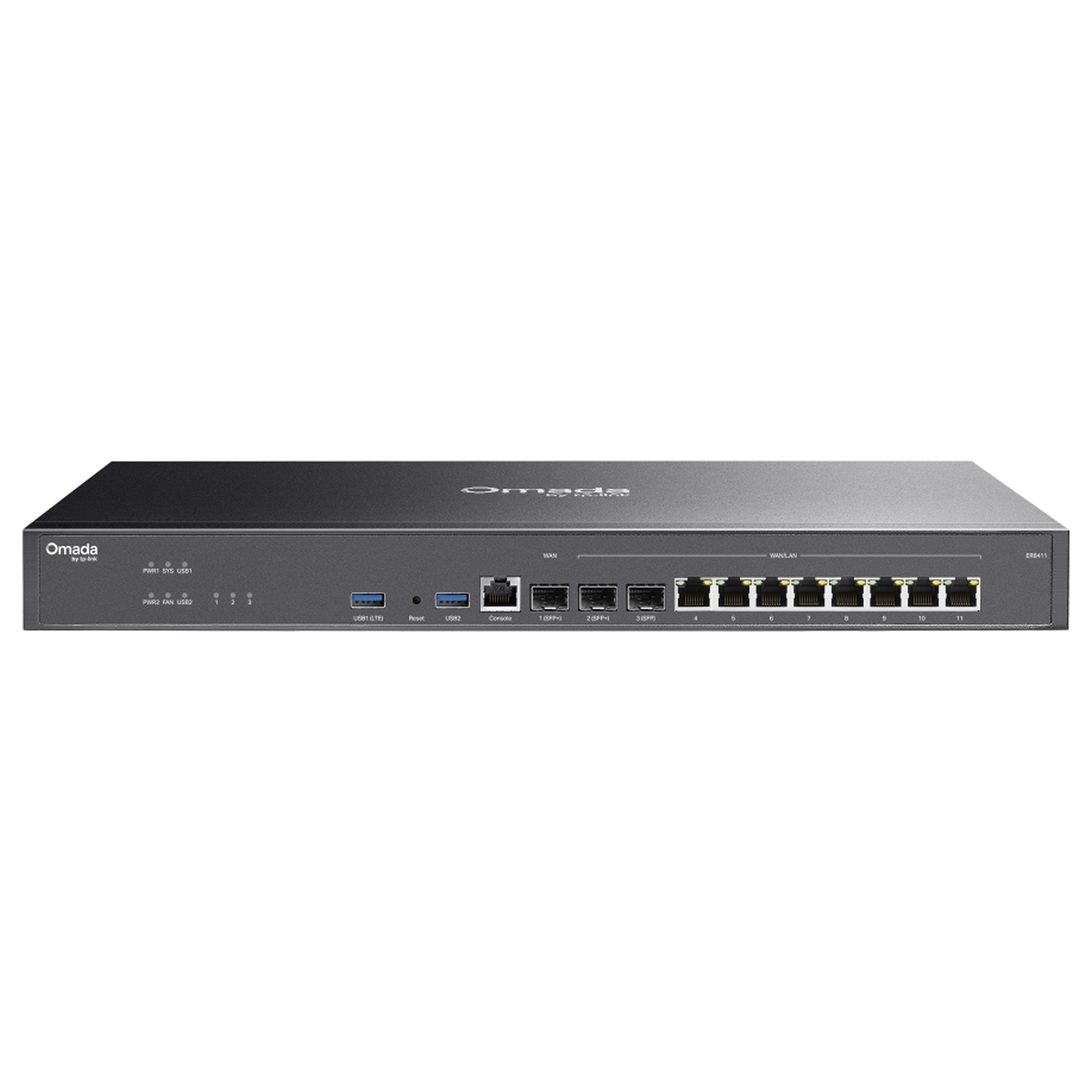
One example is the TP-Link ER8411 router, which provides 10GE SFP+ connectivity, multi-WAN support, VPN capabilities, firewall features, and Omada-based centralized management.
This is a more appropriate choice for business and advanced networking environments than treating every router as a basic home Wi-Fi device.
Modem vs Router for Home Wi-Fi
For everyday home Wi-Fi, the router has a major impact on your wireless experience.
A small apartment with a few connected devices may only need a straightforward wireless router. A larger home with multiple floors, many connected devices, or demanding applications may require more capable equipment.
Before purchasing a router, consider:
- Your internet plan
- Number of connected devices
- Home size
- Number of floors
- Wall construction
- Wi-Fi standard supported by your devices
- Ethernet requirements
- Security features
- Future networking requirements
Don't choose a router simply because it has the highest advertised speed. Real-world performance depends on the environment and the devices connected to it.
Wi-Fi Router vs Wired Router
Not every router is designed primarily around wireless connectivity.
Some networking environments benefit from a dedicated wired router combined with separate wireless access points.
This approach is common in business environments where administrators want greater control over network design and wireless coverage.
For smaller deployments, an all-in-one Wi-Fi router can be more convenient.
For larger or more complex networks, separating routing and wireless access can provide greater flexibility.
Modem vs Router for Gaming
Gaming performance depends on several parts of your network.
The modem handles the connection to your ISP, while the router manages traffic between your gaming system, other devices, and the internet.
A capable router can help when several people are gaming, streaming, downloading files, or making video calls at the same time.
Some routers also provide Quality of Service (QoS) or traffic-management features that can help prioritize certain traffic.
However, your router isn't the only factor affecting gaming latency. ISP performance, congestion, server location, and the game's infrastructure can all influence ping.
Can a Router Work Without a Modem?
A router can create a local network without a modem, but that doesn't mean it can independently provide traditional internet service.
For internet access, the router needs an upstream connection such as a modem, ONT, gateway, or another compatible network device.
In some business environments, a router may connect directly to an Ethernet handoff from an ISP. In that situation, a separate modem may not be required.
How to Tell Whether the Modem or Router Is the Problem
When your internet stops working, first determine whether the problem is with the ISP connection or your local network.
Check the Modem
Look at the modem's connection or status indicators.
If it can't establish a connection with your ISP, possible causes include:
- ISP outage
- Damaged cables
- Signal problems
- Configuration issues
- Hardware failure
Check the Router
If the modem appears to have an active internet connection but your devices cannot connect, investigate the router.
Check:
- Wi-Fi availability
- Ethernet cables
- Router status
- Connected devices
- Network configuration
- Firmware
- Router placement
Restarting your modem and router can sometimes resolve temporary problems, but persistent issues may require assistance from your ISP or network administrator.
Choosing the Right Router
When choosing a router, start with your actual networking requirements rather than the product's headline speed.
Think about whether you need:
For example, a home user may prioritize coverage and ease of use, while a business may care more about VPNs, VLANs, security, WAN failover, and centralized management.
For another example of a modern Wi-Fi router designed for home connectivity, the Cudy WR3000E WiFi 6 router supports up to 1 Gbps home internet, five Gigabit Ethernet ports, and Cudy Mesh.For higher-performance wireless requirements, the Cudy WR6500H WiFi 7 router supports multi-gigabit connectivity with a 2.5G WAN port and is positioned for gaming, entertainment, and multi-gig internet access.
Common Mistakes When Buying Networking Equipment
One common mistake is assuming that the router with the biggest advertised number will automatically provide the best experience.
Wireless performance depends on:
- Distance
- Interference
- Building materials
- Connected devices
- Router placement
- Client-device capabilities
- Network congestion
Another mistake is overlooking Ethernet.
Desktop computers, gaming consoles, smart TVs, and other stationary devices can often benefit from a wired connection when maximum stability is important.
Modem vs Router: Which One Should You Upgrade?
It depends on the problem you're experiencing.
Upgrade or Replace the Modem When:
- Your ISP requires newer equipment
- Your modem isn't compatible with your service
- The modem can't support your internet plan
- The modem frequently loses its ISP connection
Consider Upgrading the Router When:
- Wi-Fi coverage is poor
- Multiple devices struggle simultaneously
- Your router doesn't support your required Wi-Fi standard
- You need better security features
- You need VPN or advanced routing capabilities
- Your existing router is outdated
Before purchasing a modem, always verify compatibility with your ISP.
Final Verdict: Modem vs Router
The difference between a modem and a router becomes simple once you understand their individual roles.
The modem connects your network to the ISP, while the router manages your local network and distributes that connection to your devices.
Some homes use separate modems and routers, while others use an all-in-one gateway. Businesses and advanced users may also use dedicated routers with separate access points.
The right choice depends on your internet service, network size, number of devices, performance requirements, and the features you actually need.
Upgrade Your Network with JRS Global Technologies
Whether you're setting up a home network, upgrading office connectivity, or building a more advanced business infrastructure, the right networking equipment can make a significant difference.
Explore networking products from JRS Global Technologies and choose equipment that fits your connectivity, performance, and security requirements.
Explore Networking Products